
How to Recover a Lost Apple Store Receipt (Official & Generator Guide)
Losing a receipt for a $5 coffee is annoying. Losing a receipt for a $1,200 iPhone or a pair of AirPods Pro is a disaster. Apple products are high-value assets, and having proof of purchase is critical for warranty claims, insurance reimbursements, or proving authenticity when you resell the device.
If you have searched your email inbox for "Apple Store" and come up empty-handed, don't panic. Whether you need a receipt for an iPhone, MacBook, or AirPods, you have options.
In this guide, we will show you how to retrieve the official invoice from your Apple ID and how to use an Apple receipt generator if you need a specific replacement document for your personal records.
Method 1: Finding Your Receipt via Apple ID
Before you try to make a receipt, you should check if Apple has a digital copy stored in your account history. Apple is very good at record-keeping, provided you bought the item using your Apple ID.
How to view your purchase history:
- Go to the Report a Problem Page: Visit
reportaproblem.apple.comand sign in with your Apple ID. - Search Your History: You will see a list of recent purchases (apps, subscriptions, and hardware if linked).
- Check Your Email: If you bought a physical product at an Apple Store, they almost always ask for an email address. Search your inbox for "Apple Store Receipt" or "Your Invoice."
- Visit the Order Status Page: For online orders, go to the Apple "Order Status" page and log in. You can often print an official invoice from there.
The Problem: This only works if you bought the device new, directly from Apple. If you bought it second-hand, paid cash, or lost access to that old email address, the official route hits a dead end.
Method 2: Using an Apple Receipt Generator
If you cannot recover the original, a receipt generator is the most effective way to create a replacement for your files. This is commonly used by people who need to organize expenses for tax season or provide a "novelty" proof of purchase for a gift.
Creating a Realistic Apple Receipt
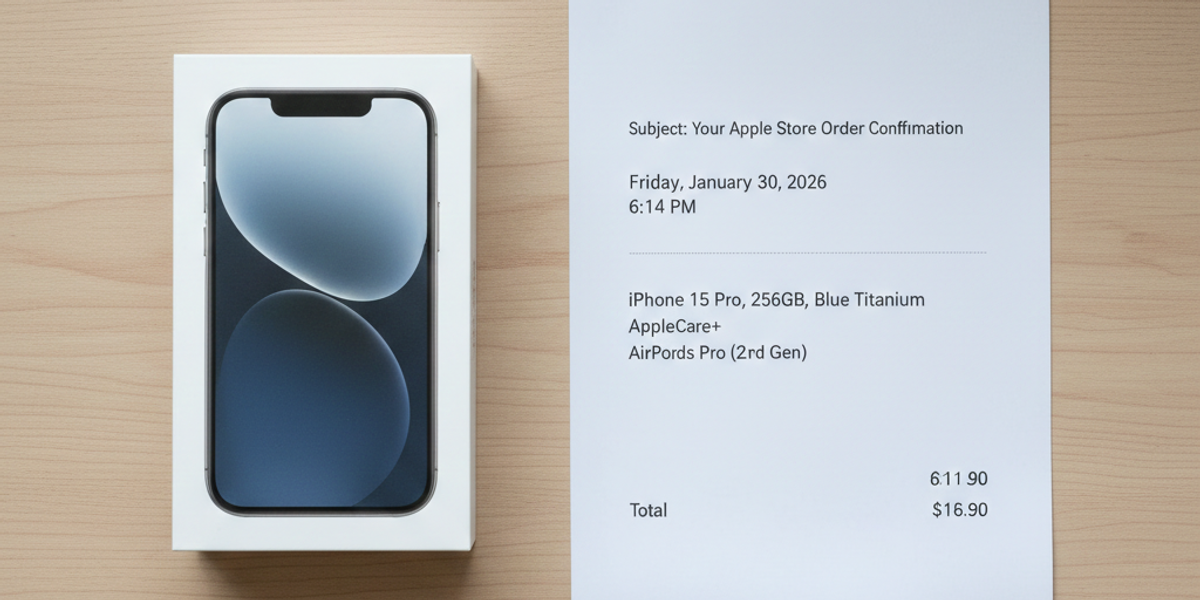
Apple receipts have a very distinct, minimalist design. When using ProReceiptMaker, focus on these details to ensure your replacement looks professional:
- The Header: Apple Store receipts usually list the specific store location (e.g., "Apple Fifth Avenue") and its local address.
- Product Description: Be specific. Instead of writing "Phone," write "iPhone 15 Pro Max - 256GB - Natural Titanium".
- Serial Number: Real Apple receipts often include the device's Serial Number (S/N) or IMEI printed below the item description. Adding this adds a layer of authenticity to your records.
- AppleCare+: If you want it to look authentic, remember that many buyers add AppleCare+. Adding this as a second line item is a smart detail.
Why Do People Search for "Fake Apple Receipts"?
You will see terms like "fake airpods receipt" or "fake iphone receipt" searched frequently. While the word "fake" sounds sketchy, there are legitimate reasons users need these replacements:
1. Resale Verification
If you are selling a pair of AirPods on eBay or Facebook Marketplace, buyers are terrified of buying knock-offs. Showing a receipt that matches the date of purchase helps put their mind at ease (even if it's a replacement copy for your own lost original).
2. Insurance Claims
If your house is flooded or your luggage is stolen, your insurance company will ask for a list of lost items and their value. A generated receipt can serve as a "statement of value" to prove what the item cost at the time of purchase.
3. Expense Reimbursement
Many companies provide a stipend for tech equipment. If you bought a MacBook for work but lost the slip, your accounting department needs a document with the price and tax breakdown to reimburse you.
Spotting the Difference: Email vs. Paper Receipts
When generating your receipt, you usually have two style choices:
- The "Email" Style: This looks like the digital invoice sent to your inbox. It is clean, typically A4/Letter size, and has the Apple logo at the top. This is best for online purchases.
- The "Thermal" Style: This is the skinny, long paper slip you get at the physical Genius Bar. If you are creating a receipt for a cash purchase, you must use the thermal style.
Pro Tip: If you are making a thermal receipt, ensure the time stamp looks realistic. An Apple Store isn't open at 3:00 AM!
Key Data Points for Apple Products
To make your receipt accurate using our tool, here are some typical prices (estimates) you might need to input:
- AirPods Pro (2nd Gen): ~$249.00
- iPhone 15 Pro: Starting at ~$999.00
- USB-C Charge Cable: ~$19.00
- Sales Tax: Don't forget to calculate your local sales tax (usually 6-10%) and add it to the total, or the receipt will look mathematically wrong.
Conclusion
Your tech gadgets are likely some of the most expensive things you own. Don't let a lost piece of paper prevent you from claiming a warranty or getting reimbursed by your employer. Whether you dig through your Apple ID history or generate a high-quality replacement with ProReceiptMaker, keeping your paper trail organized is always a smart move.
Create Your Receipt with ProReceiptMaker
Looking for an easy way to create professional receipts? ProReceiptMaker is the most popular free receipt generator online with over 130 customizable templates. Visit proreceiptmaker.com to start creating receipts for free. No sign-up required.
Share this article
Ready to Create Your Receipt?
Try ProReceiptMaker — the #1 free receipt maker with 100+ templates.
Related Articles
Browse Receipt Templates
Explore 100+ customizable receipt templates for any store or business.
View Templates →Create Your Own Receipt
Use our free receipt maker to build custom receipts from scratch.
Start Generating →